

How to export Revit to IFC correctly
Updated · by the IFCfiles team

A correct Revit-to-IFC export comes down to five settings: the right schema/MVD, the category mapping table, property set export, base quantities, and the coordinate basis. Get those five right and your IFC opens where it should with the data it should have; leave them on defaults and you get the hollow exports that gave "Revit IFC" its reputation.
Revit's exporter (the open-source Autodesk IFC exporter — keep it updated, it moves faster than Revit releases) is genuinely capable. It's just configured for nobody in particular out of the box.

1. Pick the schema and MVD deliberately
Export → IFC → Modify setup. The version dropdown is the single most consequential choice: IFC4 Reference View for modern coordination workflows, IFC2x3 Coordination View 2.0 when the receiving side's tools or the BEP require the classic. Don't guess — ask, or read the BEP. The differences (and when IFC4x3 enters the picture) are covered in IFC2x3 vs IFC4 vs IFC4x3.
2. Fix the category mapping
Revit categories map to IFC classes through a text table (Export layers/categories as
— editable in the setup dialog). The defaults handle walls and doors fine and fall apart at
the edges: generic models exporting as IfcBuildingElementProxy, specialty
equipment landing in the wrong class, custom families vanishing into proxies. Two rules:
-
Anything exporting as
IfcBuildingElementProxythat has a proper IFC class is a mapping bug — fix the table or set the family'sIfcExportAsparameter. - Save the corrected mapping as an office standard file. This is a solve-once problem that most offices solve weekly.
3. Export the property sets people actually need
Three checkboxes rule the data payload:
- IFC common property sets — the standard
Pset_WallCommon-style sets. Always on. - Revit property sets — dumps element parameters grouped by Revit's own organization. On for internal exchanges; it's verbose but complete.
- User-defined property sets — a mapping file that exports exactly the
parameters the BEP names, into Psets with the names the BEP specifies. This is the
professional answer for deliverables: the receiving checker looks for
Pset_ProjectSpecific.ClassificationCode, and that's precisely what exists.
If quantities matter downstream — takeoff, cost, anything a QS touches — also tick base quantities. Without it, areas and volumes simply aren't in the file, and no downstream tool can conjure them.
4. Coordinates: the silent deal-breaker
More coordination meetings die on this than on any schema debate. Revit exports from one of: internal origin, project base point, or shared coordinates. On any multi-model project the answer is shared coordinates — it's the one basis every discipline's model agrees on. Exporting a correctly geo-referenced model from the wrong basis places it kilometers off when linked; conversely, "fixing" placement by moving geometry instead of fixing the basis poisons every future delivery. Set it once in the export setup, document it in the BEP, never touch it again.
5. Export scope: less model, better file
Export a dedicated 3D view (export only elements visible in view) with a view
template that hides scope boxes, analytical models, and whatever else has no business in a
deliverable. Filter by phase if the BEP asks for "as designed". The result is smaller, faster
to open, and free of the "what is this floating box?" questions. For transfer,
.ifczip cuts size by 80-90% and serious tools — including
anything reading IFC properly — open it directly.
Then verify like a recipient would
The exporter's job ends where the audit begins. Before the file leaves the office:
- Open it in an independent viewer. Not Revit — an independent parser. Drop
it in the free online IFC viewer: correct placement? All storeys in
the tree? Click three or four key elements — are the Psets there? (Nothing uploads, so
confidential models are fine.)
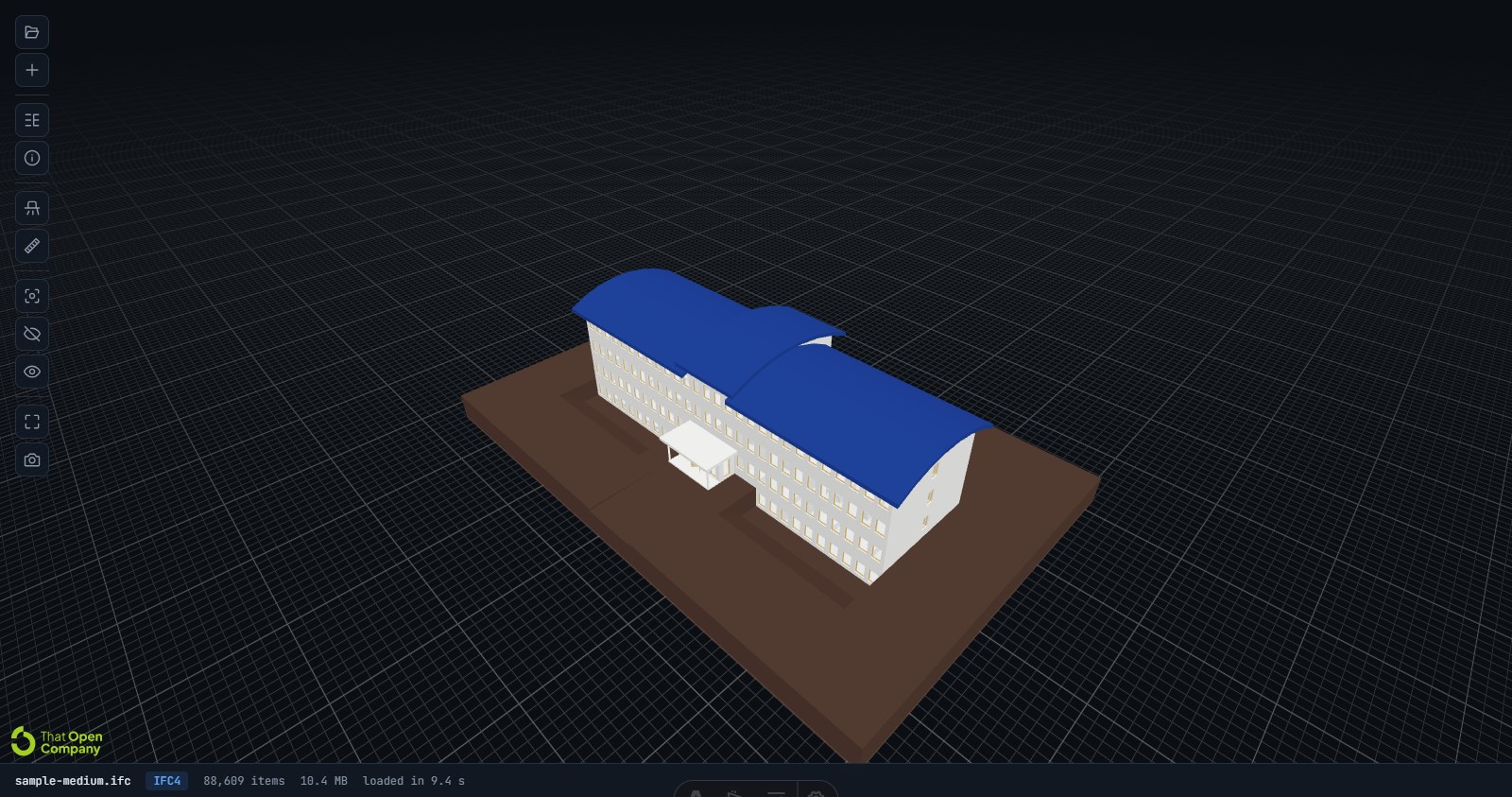
The recipient's view: your export opened in an independent, non-Autodesk parser. - Audit the data in bulk. Export the IFC to
Excel and sort the critical columns — every blank FireRating and missing classification
code stands out in seconds. For spot checks by GlobalId, the
properties explorer is quicker than any 3D navigation.
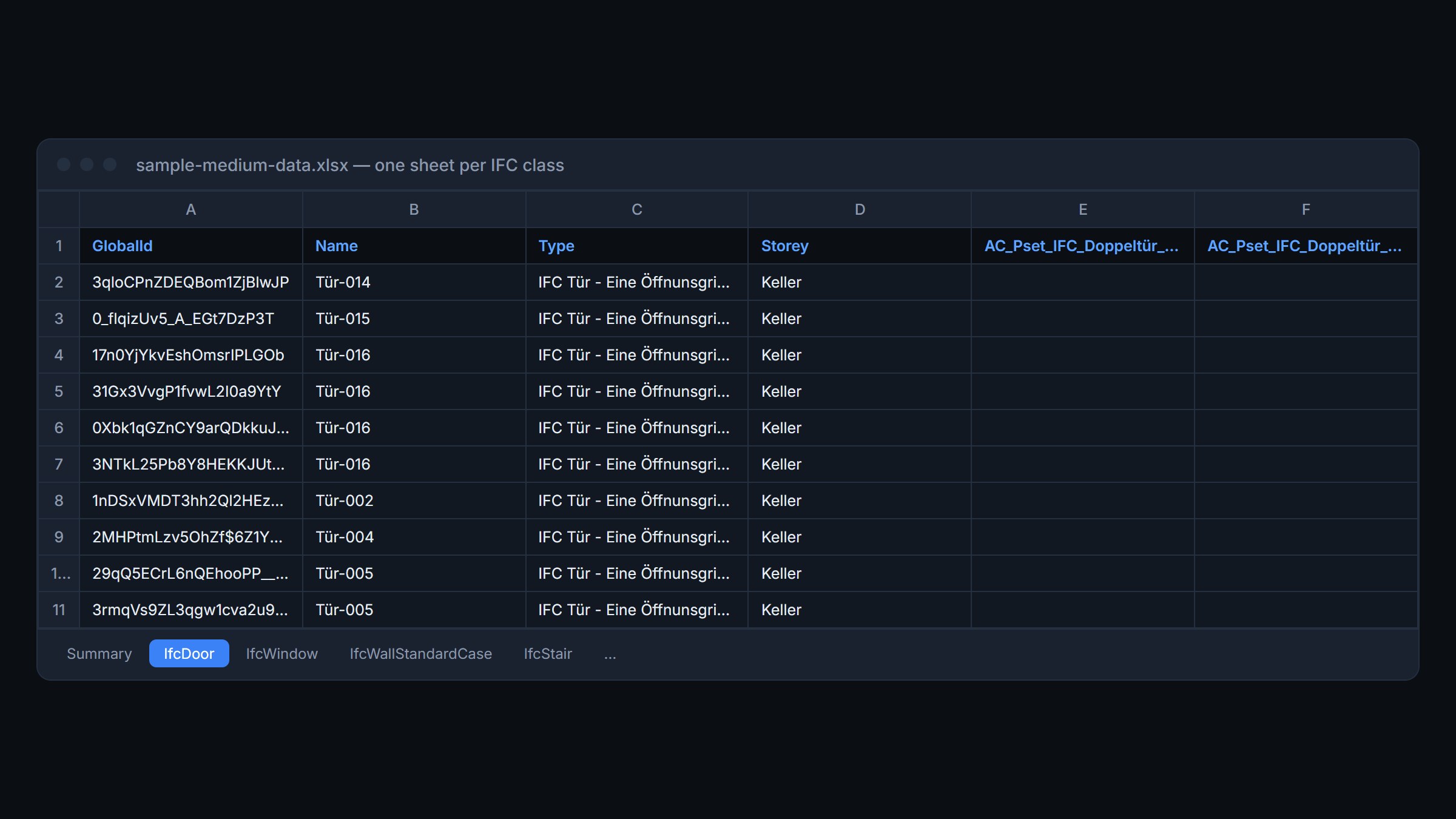
Bulk audit: one sheet per class — blank cells are mapping gaps waving at you. - Keep the audit file. Attach the spreadsheet to the delivery. When someone claims data went missing downstream, you have the export-time record — see what actually gets lost in conversions for where to point the finger.


Five settings, one audit pass. It's a checklist, not a craft — which is exactly what you want an export to be.